Want to start your own chat room? Kupydo makes it simple. We call them "channels," but they work exactly like traditional chat rooms.
The difference? You get full control. You become the admin. You set the rules. You decide who stays and who goes.
What Are Chat Channels on Kupydo?
Chat channels are Kupydo's version of chat rooms. Think of them as your personal community spaces. You can create one about any topic you love.
Gaming? Make a gaming channel. Art? Start an art community. Fitness? Build your workout group. The choice is yours.
Each channel functions like a traditional chat room. People join. They chat. They share ideas. They build friendships.
But here's the key difference. You're in charge from day one.

Why Create Your Own Chat Room?
Building your own moderated chat room gives you power. You control the experience. You shape the community culture.
Here's what you get:
Total Admin Control: You're the boss. Make decisions quickly. No waiting for approval.
Custom Rules: Set guidelines that work for your community. Family-friendly? Adults only? Topic-focused? Your choice.
Member Management: Add friends. Remove troublemakers. Keep your space safe and welcoming.
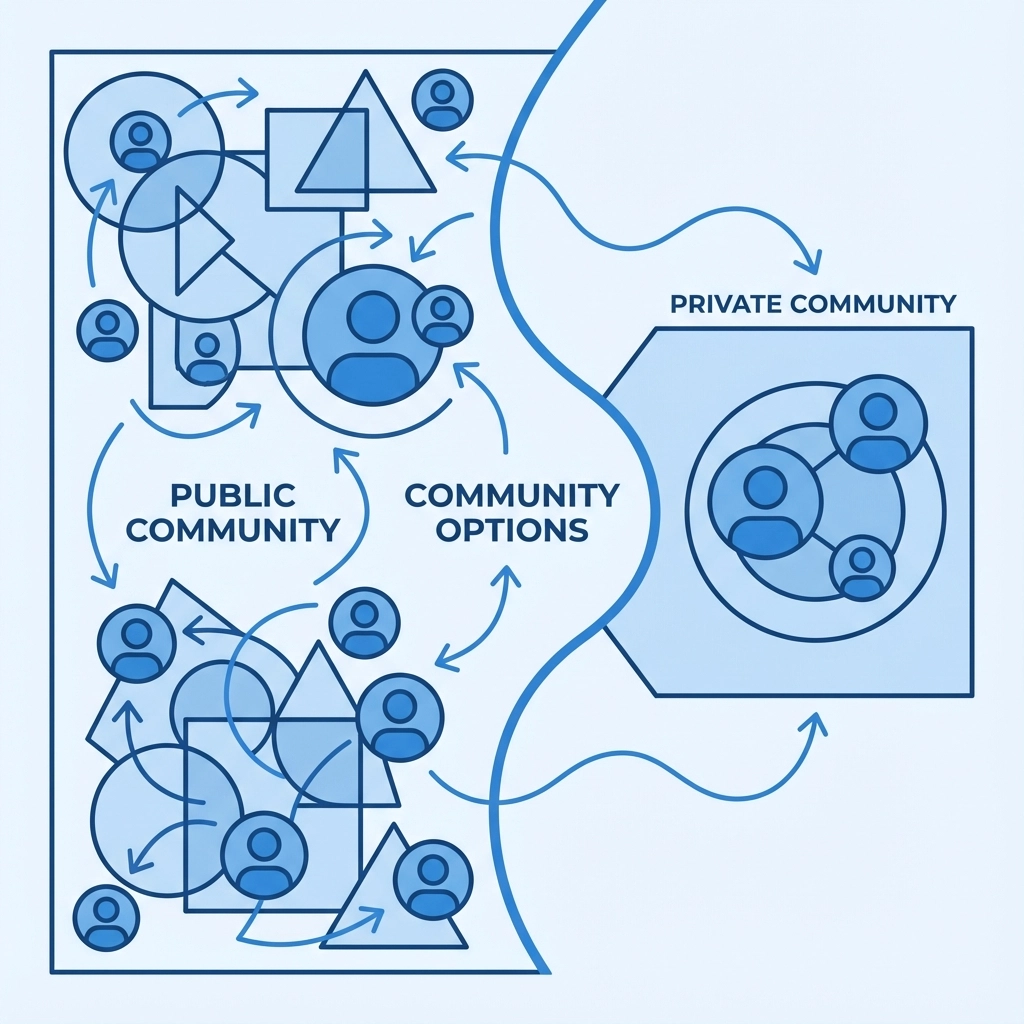
Privacy Options: Go public for maximum reach. Stay private for close friends. Switch anytime.
Topic Freedom: Create channels about anything. Hobbies, work, school, entertainment. No limits.
Step-by-Step: How to Make a Private Chat Room
Creating your own chat channel takes minutes. Follow these simple steps:
Step 1: Join Kupydo
Visit Kupydo and create your account. It's free and fast.
Step 2: Navigate to Channel Creation
Look for the "Create Channel" option. It's usually in the main menu or dashboard.
Step 3: Choose Your Topic
Pick a clear, specific topic. "Gaming" is too broad. "Retro PlayStation Games" works better.
Step 4: Set Privacy Level
Decide who can join. Public means anyone can find and join. Private means invite-only.
Step 5: Write Channel Rules
Create simple, clear rules. Post them where everyone can see them. This prevents problems later.
Step 6: Customize Your Space
Add a description. Set a channel image. Make it welcoming and informative.
Step 7: Invite Your First Members
Start with friends or people you trust. They help create a positive foundation.
Best Platforms for Group Chat: Why Choose Kupydo?
Many platforms offer group chat features. Discord, Telegram, WhatsApp, and others compete for users.
But Kupydo stands out for community building. Here's why:
User-Controlled Experience: You're not just a moderator. You're the channel owner. Big difference.
Built for Communities: Every feature supports community growth. From discovery tools to engagement features.
Safe Environment: Strong safety features protect your members. Report tools work quickly.
Easy Discovery: People find your channel through search and recommendations. No complex promotion needed.
Cross-Platform Access: Members join from phones, tablets, and computers. Everyone stays connected.
Admin Powers: What You Control
As a channel admin on Kupydo, you have serious power. Use it wisely to build great communities.
Member Management: Add trusted friends as co-moderators. Remove disruptive members instantly.
Content Control: Delete inappropriate messages. Pin important announcements. Keep discussions on-topic.
Rule Enforcement: Create custom rules for your channel. Enforce them consistently and fairly.
Channel Settings: Change privacy levels. Update descriptions. Modify channel images anytime.
Growth Tools: Promote your channel through Kupydo's discovery features. Reach interested users easily.

Creating Moderated Chat Rooms for Communities
Successful chat rooms need good moderation. As the admin, you set the tone. Here's how to build a thriving, moderated space:
Start with Clear Rules: Post rules in your channel description. Pin them as the first message. Make expectations clear.
Be Present: Active admins create better communities. Check in regularly. Participate in conversations.
Respond Quickly: Address problems fast. Don't let small issues become big drama.
Stay Fair: Apply rules equally to everyone. Favoritism kills communities quickly.
Encourage Positivity: Highlight good contributions. Thank helpful members. Create a welcoming atmosphere.
Plan Content: Start interesting discussions. Ask questions. Share relevant news or updates.
Privacy Settings: Public vs Private Channels
Choose your privacy setting carefully. Each option serves different purposes:
Public Channels:
- Anyone can find and join
- Great for growing large communities
- More diverse member base
- Higher chance of discovery
- Best for general topics
Private Channels:
- Invite-only access
- Better for sensitive topics
- Closer-knit community feel
- More control over membership
- Perfect for friend groups
You can change privacy settings later. Start private to build your core community. Go public when you're ready to grow.

Growing Your Chat Room Community
Building a successful chat room takes time and effort. But with the right approach, you'll see steady growth.
Content Strategy: Post regularly. Share interesting links, news, or questions. Keep conversations flowing.
Engagement Tactics: Ask for member opinions. Run polls or discussions. Make everyone feel heard.
Cross-Promotion: Mention your channel in other communities (respectfully). Share on social media.
Quality over Quantity: Better to have 20 active members than 200 silent ones. Focus on engagement.
Consistency: Show up regularly. Members need to see you're committed to the community.
Common Mistakes to Avoid
New channel admins often make similar mistakes. Learn from others' experiences:
Over-Moderation: Don't delete every slightly off-topic message. Allow natural conversation flow.
Under-Moderation: Don't ignore obvious rule violations. Address problems promptly.
Unclear Rules: Vague rules create confusion. Be specific about what's allowed and forbidden.
Neglecting Your Channel: Inactive admins kill communities. Stay engaged with your members.
Playing Favorites: Treating some members better than others creates resentment and division.
Ready to Start Your Own Chat Room?
Creating your own chat room on Kupydo is simple and empowering. You get admin control from day one. You set the rules. You build the community you want.
Whether you want a private space for friends or a public community around your interests, Kupydo's channels give you the tools you need.
Start building your community today. Visit Kupydo and create your first channel. Your members are waiting for the community only you can build.
Remember: every successful community started with one person who took action. That person can be you.